Look for an alternative to Emburse? Give Spendesk a try
Spendesk is an all-in-one spend management platform. From physical and virtual cards to expense reporting and automated travel reimbursements, Spendesk has everything you need to manage corporate spend all in one place.
)
TRUSTED BY THOUSANDS OF FINANCE TEAMS AND EMPLOYEES!


Credible enough for finance.
Practical enough for the business.
That matters because the best finance process is not just controlled. It is actually used.

















How Spendesk compares with Emburse

Key differences between Spendesk and Pleo
Both Spendesk and Pleo help finance teams move beyond spreadsheets and manual expense claims. Evaluating which platform fits your organisation comes down to a few key areas: how much control finance needs over spending, the complexity of your approval processes, and whether you need accounts payable capabilities alongside cards and expenses.

Approval workflows
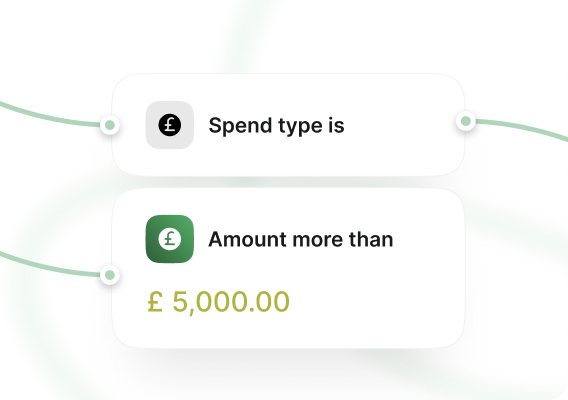
Spendesk includes a visual approval workflow builder that lets finance teams configure multi-step rules based on spend type, expense category, cost centre, amount threshold, and custom analytical fields — all combined in a single flow. This is designed for organisations that need granular, policy-driven controls across different teams and spend types.
Accounts payable
Spendesk's AP module covers the full invoice lifecycle: submission, AI-powered data extraction, automated coding, purchase order matching, and a centralised view that captures all invoices — including those paid outside the platform via direct debit or bank transfer. This gives finance a complete picture of liabilities without manual consolidation.
Multi-entity management
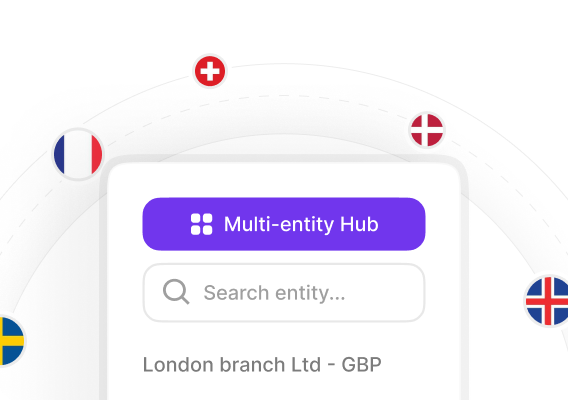
For groups managing several legal entities, Spendesk offers a dedicated multi-entity layer with consolidated reporting, entity-level spend policies, and cross-entity visibility — reducing the need for manual reconciliation across subsidiaries.
Bottom line
The right choice depends on what your finance team needs today — and in two years. If your priority is controlling spend across the full procure-to-pay cycle, managing multiple entities, and staying ahead of compliance requirements, it's worth comparing both platforms in detail.
Spendesk vs Pleo pricing
Understanding how each platform charges is important when forecasting total cost — especially as your team or invoice volume grows.
Pleo's pricing model
Spendesk's pricing model
What to consider when comparing costs
When evaluating total cost, factor in: the number of users who will need platform access, your monthly invoice processing volume, the number of legal entities you manage, and whether the platform's capabilities cover your full workflow — or whether gaps will require additional tools or manual work.
Which should I choose: Spendesk or Pleo?
Spendesk may be better suited to you if:
Complex approval workflows: You need multi-step approval rules that vary by spend type, cost centre, expense category, and amount — all configured in a single visual flow.
Full procure-to-pay management: Your finance team manages purchase orders, supplier invoices, and expense reimbursements — and needs a centralised view of all spend, including invoices settled outside the platform.
Pleo may be better suited to you if:
Cards and expenses for small teams with limited card usage: Your primary need is corporate cards and expense management for a team with a stable headcount — Pleo's per-user pricing works best when user count and invoice volume stay low.
Treasury visibility: You want to connect external bank accounts to view balances in one place, or earn interest on idle cash — features Spendesk does not currently offer.
Information is based on publicly available Spendesk and Emburse product features as of September 2026.
Spendesk allows me to get a quick overview of our subscription tools, and also limit the budgets. It brings insight, and it brings more control on one of the biggest overhead expense aspects of our company. These days, our employees can just spend as they go and capture a picture with the app. They don’t need to ask for approval for any small expenses.

Control spend before it happens
Hands-on implementation support, dedicated customer success, and a team that helps you launch fast and scale smoothly. We've onboarded thousands of European finance teams in weeks, not months, and we know how to adapt to any kind of complexity.
100%
Visibility on all purchase requests, from submission to approval
80%
Less back and forth with automated workflows and approvals
50%
Faster procurement cycles from vendor onboarding to payment
One solution for all business expenses
We've combined smart payment methods with even smarter software, to manage all expenses in one place.

Approval and policies

Team budgets

Invoice payment

Expense tracking

Virtual & physical cards

Spending reports

Pre-accounting automation
Make a seamless transition
Switching spend management platforms shouldn't hold you back. We're here to make the move simple, fast, and painless.
Dedicated onboarding and implementation support
Your dedicated Onboarding Manager works with you to define your timeline and guides you through every step, from initial setup to go-live. Typical onboarding takes 1 to 3 weeks, depending on your requirements.
Multilingual, in-house support team
Get help from our multilingual, in-house experts via live chat and email. With a median response time of 5 minutes, instant support is always just a message away.
)
Built for European finance teams
Spendesk holds its own Payment Institution (PI) licence in the EEA, giving European businesses direct regulatory oversight and no reliance on third-party financial providers. Built in Europe, Spendesk is designed to meet the compliance, VAT, and accounting requirements of European markets.
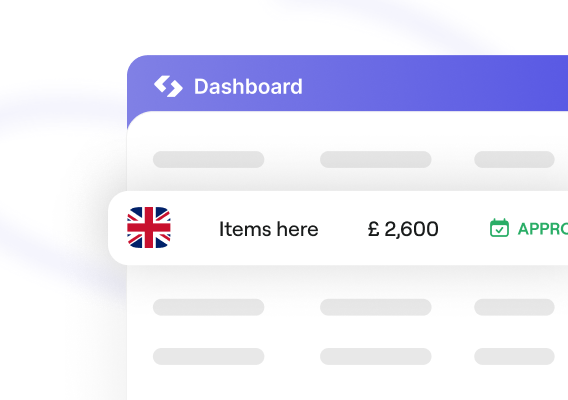
Spendesk automates pre-accounting by automatically reading VAT and allocating general ledger codes and receipts. Finance teams save an average of 2–3 days on month-end closing. Connects natively with Xero, Business Central and NetSuite. HMRC-compliant mileage included.
)
Even more reasons you’ll love Spendesk
Don't just track cards. Control complete spend, with a platform built for finance teams, not just card users.

Stop chasing receipts
Play By The Rules automates receipt collection with 98% capture rates. No more manual follow-ups or missing documentation at month-end.

Drive efficiency
Let Gen AI and advanced automation streamline operations at every step, from approval to reconciliation.

Complete spend visibility
See all current and upcoming spend across every entity and department in real time, with dedicated multi-entity dashboards.

Budget ownership
Give teams budgets they can own while finance oversees everything, with automatic tracking and intelligent guardrails that prevent overspend.

Reimburse travel
Reimburse employees directly through Spendesk, with full visibility and compliance built in.

Office management
Capture regular and one-off purchases with smart controls that keep office spend within budget.
Even more reasons you’ll love Spendesk
Don't just track cards. Control complete spend, with a platform built for finance teams, not just card users.
Clearer approval workflows and stronger policy controls
UK compliance with less manual work
Multi-entity operations across Europe
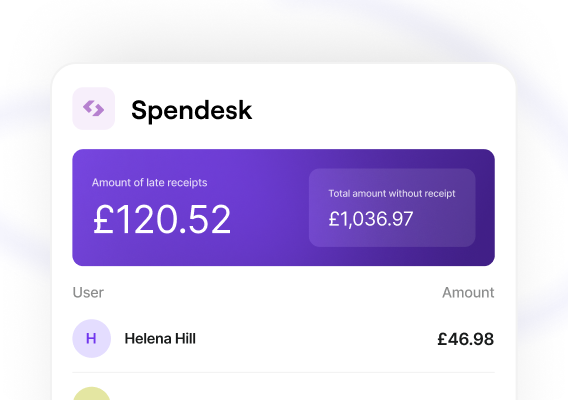
A complete spend operating model
FAQ
The most frequently asked questions about Spendesk and Emburse.
While both Emburse and Spendesk offer similar features, the biggest difference is how you’ll access those tools.
Emburse offers a product line consisting of different modules (Emburse Certify, Chrome River, Spend, Go, etc.) each with its own toolkit. These products work together, but they’re separate from one another, and the tools that you’ll ultimately need to keep a lid on your finances will vary.
On the other hand, Spendesk gives you all the tools you need inside a single, unified interface. You won’t have to pick and choose what you need in order to get the best expense management system. You’ll have access to all the tools you need as soon as you sign up.
While many of our competitors (Abacus, Brex, Ramp, Expensify, Fyle, Pleo, Zoho Expense, etc.) offer similar solutions like corporate credit cards or onboard project management tools, Spendesk is focused on delivering 100% visibility into your company spend.
Our mission is to ensure that your finance team can manage and track transactions at a granular level. We offer flexible spend controls, automated approval tools, and intuitive dashboards so that finance managers can better understand and accommodate company spending needs.
Most importantly, our platform ensures that all your spend happens in one place, rather than across multiple systems or software tools. From finance managers to employees in the field, everyone can use Spendesk to manage transactions, submit expenses, and dispense funds.
Get pricing details and learn more by contacting a Spendesk expert today.
No. Spendesk sits between your bank and your accounting software as an expense management platform. While it’s possible to acquire an unlimited number of physical and virtual cards, all of our cards are tied to your Spendesk account — just like a debit card for your bank.
You’ll need to transfer your funds to your Spendesk account, which are then paid out to vendors based on card transactions and direct payments issued by account managers.
We do work with major credit card services for Spendesk cards, so purchases will be transacted by major industry providers like Mastercard (Europe) and Visa (US).
Currently, Spendesk is available in the European Economic Area (including Germany, France, United Kingdom, Spain, Norway, Sweden, & Denmark) and in the United States.
Users can create their wallets with currencies in Euro (€), US Dollar ($), Pound (£), Danish Krone (DKK), Norwegian Krone (NOK), and Swedish Krone (SEK).
See how effortless spend control can be
Real-time tracking, automated alerts, and built-in controls that keep spending on budget without slowing teams down.